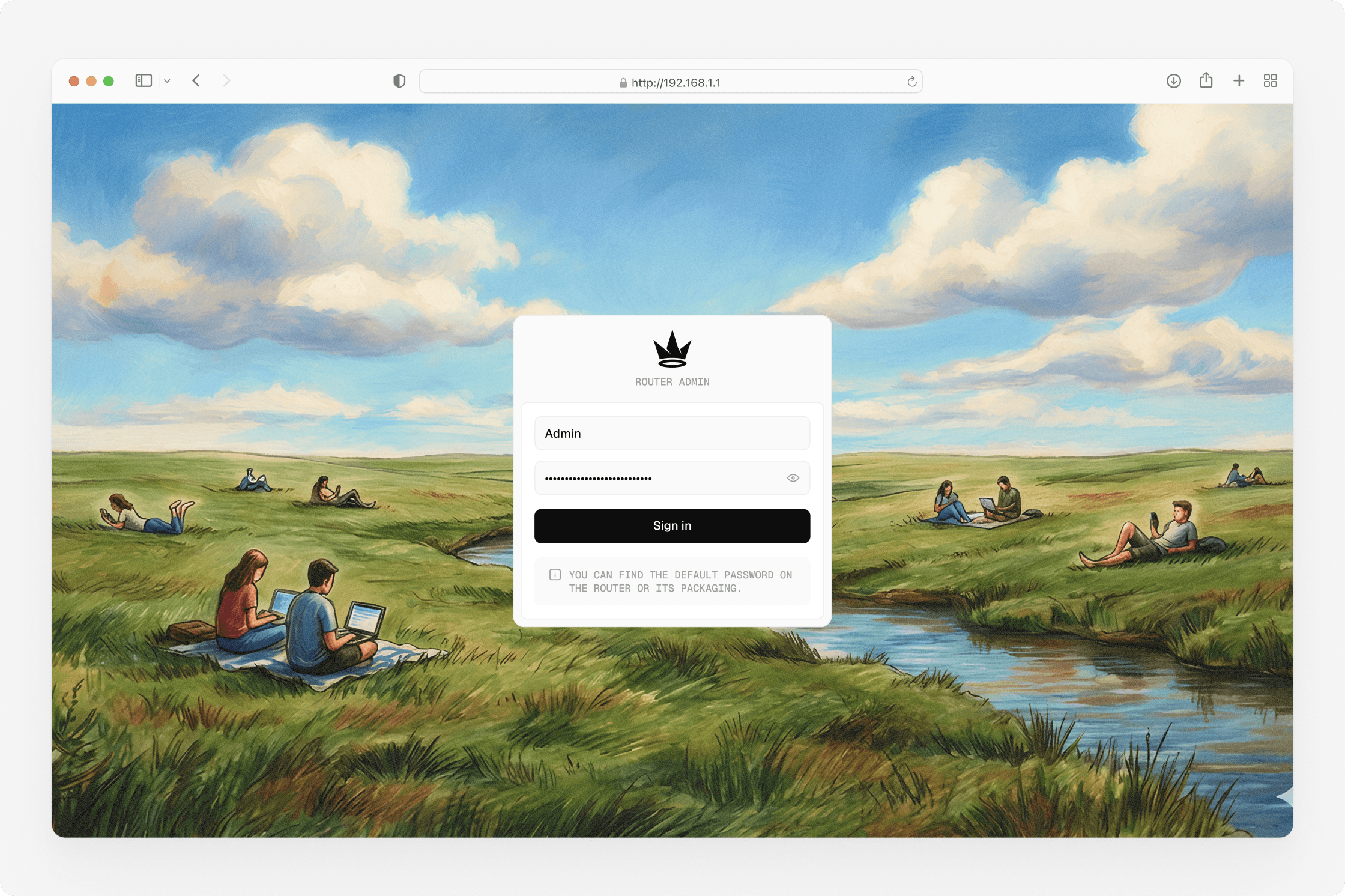
Router admin panel
Router admin panel
Wawen is a router with built-in VPN and Hybrid VPN, designed for controlling how traffic is routed across the network. Alongside VPN features, it supports full network management required for everyday router operation.
Wawen is a router with built-in VPN and Hybrid VPN, designed for controlling how traffic is routed across the network. Alongside VPN features, it supports full network management required for everyday router operation.
Admin panel
Dashboard
5-week timeline
Introduction
Introduction
I was approached with an unusual task: to design an admin interface for a router with a built-in VPN. The goal was to make it clear and approachable for everyday users, while still offering the level of control expected by network administrators. For me, the main challenge was diving deep into the networking domain — understanding how routers work, how traffic is routed inside local networks, and how these configurations are managed through an admin interface.
I was approached with an unusual task: to design an admin interface for a router with a built-in VPN. The goal was to make it clear and approachable for everyday users, while still offering the level of control expected by network administrators. For me, the main challenge was diving deep into the networking domain — understanding how routers work, how traffic is routed inside local networks, and how these configurations are managed through an admin interface.
My role covered the full product design cycle. It started with research to clearly separate basic needs from advanced scenarios. From there, I worked on defining product structure, shaping the Basic and Advanced modes, designing interaction flows, and translating complex network logic into a clear and usable interface. I was responsible for everything from problem framing and UX decisions to visual design and overall system-level consistency.
My role covered the full product design cycle. It started with research to clearly separate basic needs from advanced scenarios. From there, I worked on defining product structure, shaping the Basic and Advanced modes, designing interaction flows, and translating complex network logic into a clear and usable interface. I was responsible for everything from problem framing and UX decisions to visual design and overall system-level consistency.
Research
Research
The research was about understanding how people actually use router settings and at what point things start to feel too complex. It quickly became clear that some users only want to handle basic setup, while others need full control over network configuration, which later led to separating the interface into Basic and Advanced modes.
The research was about understanding how people actually use router settings and at what point things start to feel too complex. It quickly became clear that some users only want to handle basic setup, while others need full control over network configuration, which later led to separating the interface into Basic and Advanced modes.
User stories
View
Competitive analysis
View
Key research insights
View
Home tab
Home tab
After completing the research, defining the information architecture, and aligning on the visual style, the decision was made to use the home screen as a central dashboard. The dashboard provides a quick overview of the router’s current state and surfaces key controls and metrics that users interact with most often.
After completing the research, defining the information architecture, and aligning on the visual style, the decision was made to use the home screen as a central dashboard. The dashboard provides a quick overview of the router’s current state and surfaces key controls and metrics that users interact with most often.
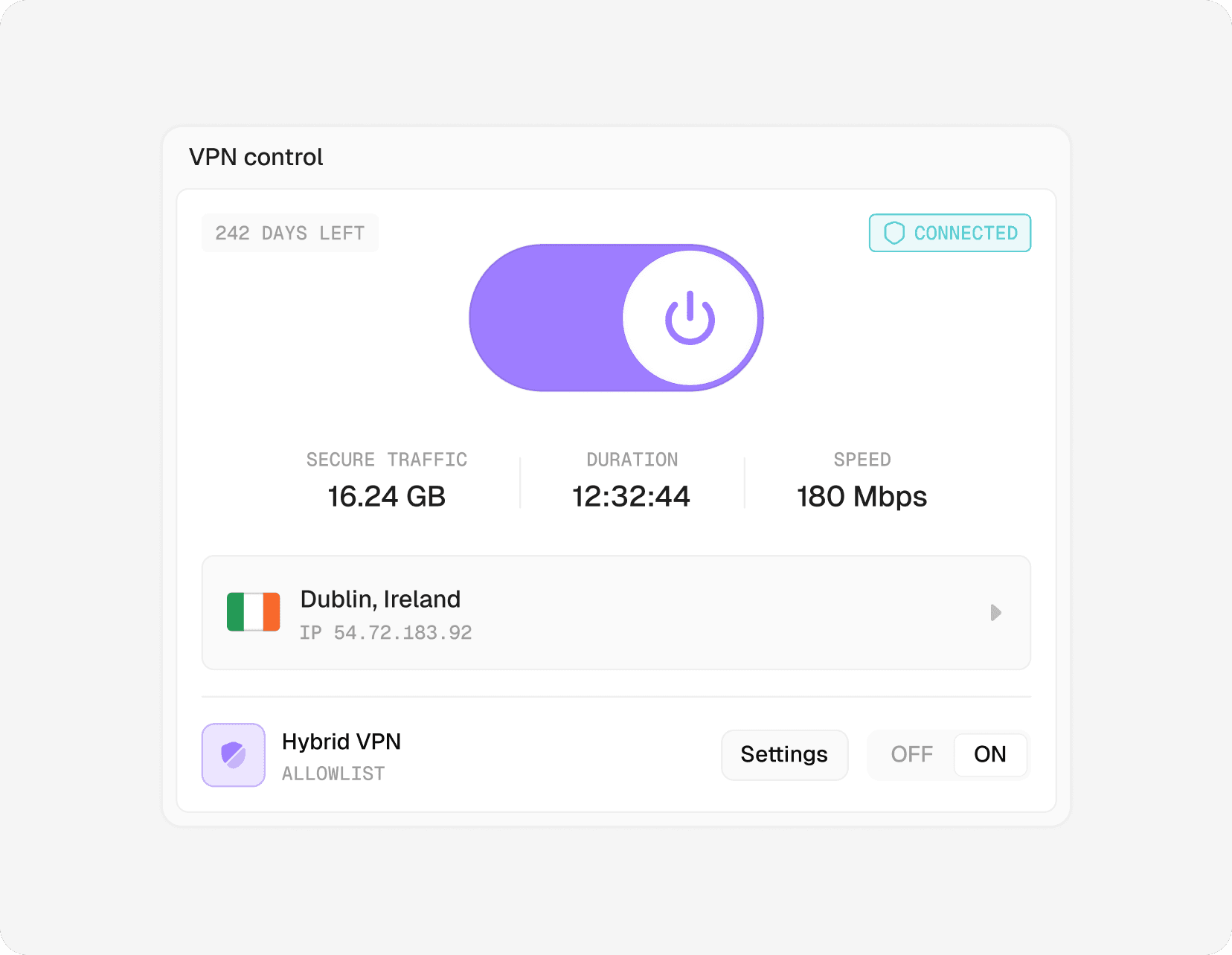
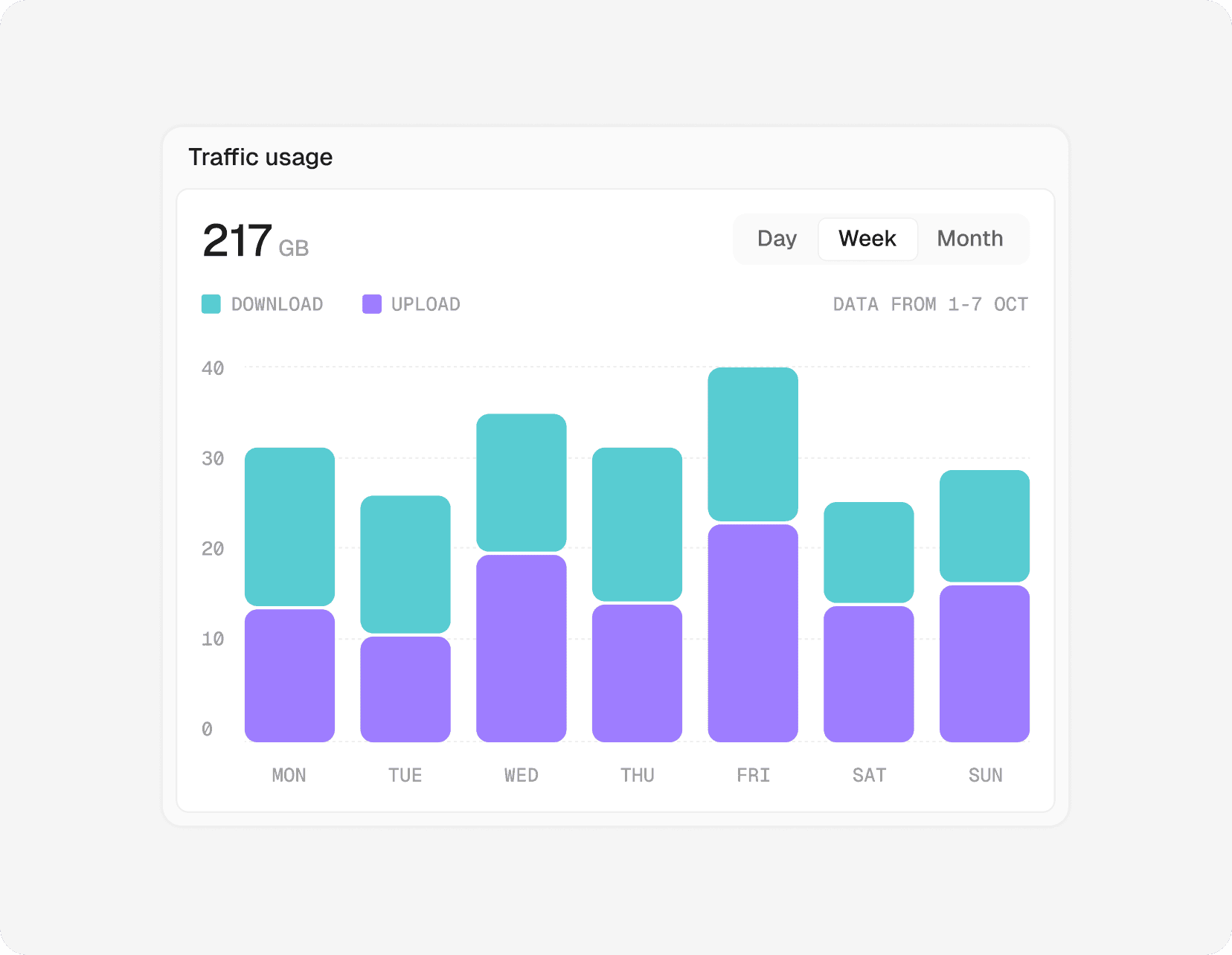
From this screen, users can quickly manage VPN (on/off, quick server settings, hybrid mode), monitor traffic usage, view and control connected devices, check connection health, and review recent network activity — without navigating deep into settings.
From this screen, users can quickly manage VPN (on/off, quick server settings, hybrid mode), monitor traffic usage, view and control connected devices, check connection health, and review recent network activity — without navigating deep into settings.
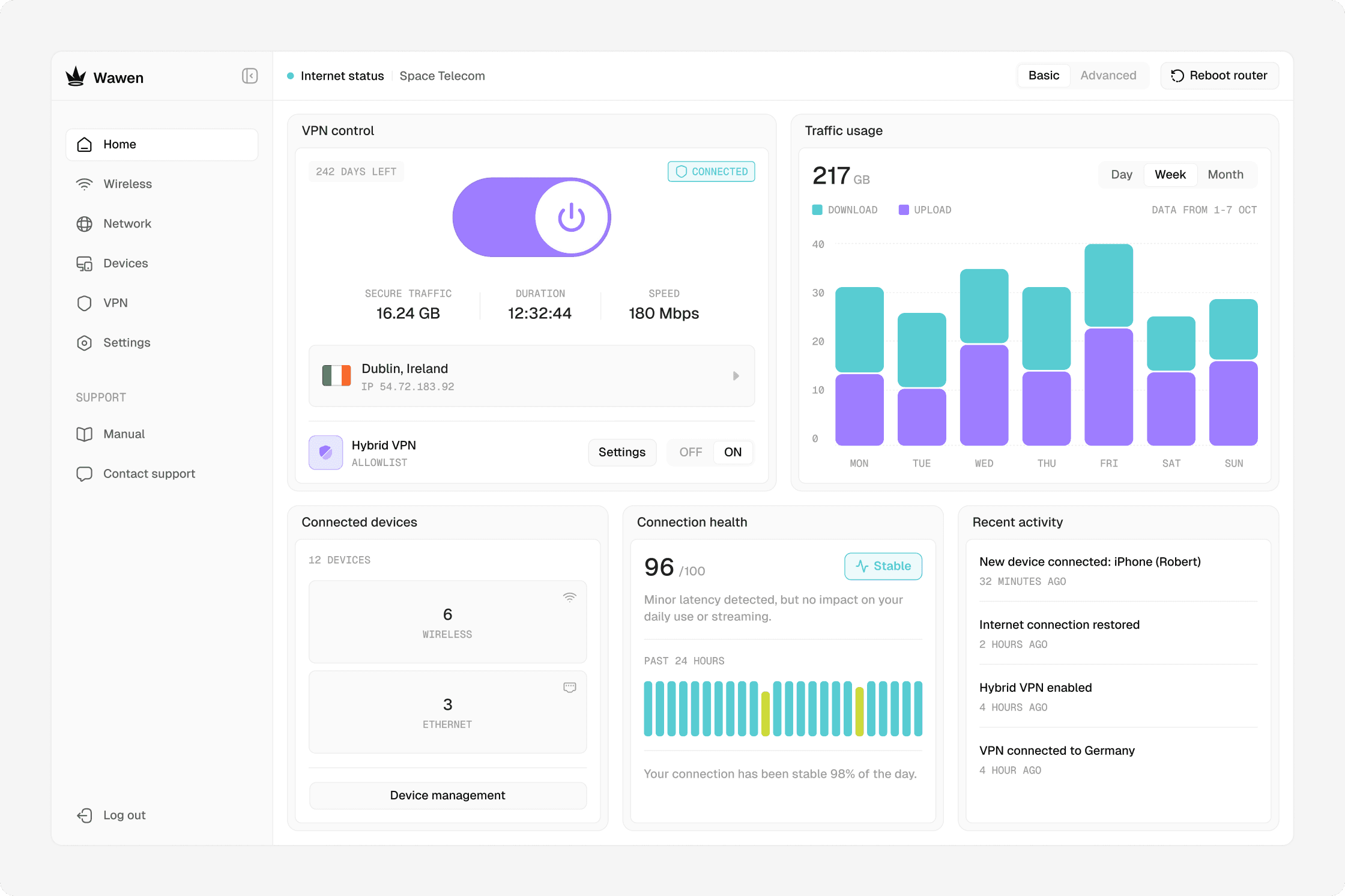

The header keeps the most important controls and status always visible:
The header keeps the most important controls and status always visible:
— Shows the current internet connection status at a glance
— Shows the current internet connection status at a glance
— Allows switching between Basic and Advanced modes at any time
— Allows switching between Basic and Advanced modes at any time
— Provides quick access to router reboot without digging into settings
— Provides quick access to router reboot without digging into settings
Wireless
Wireless
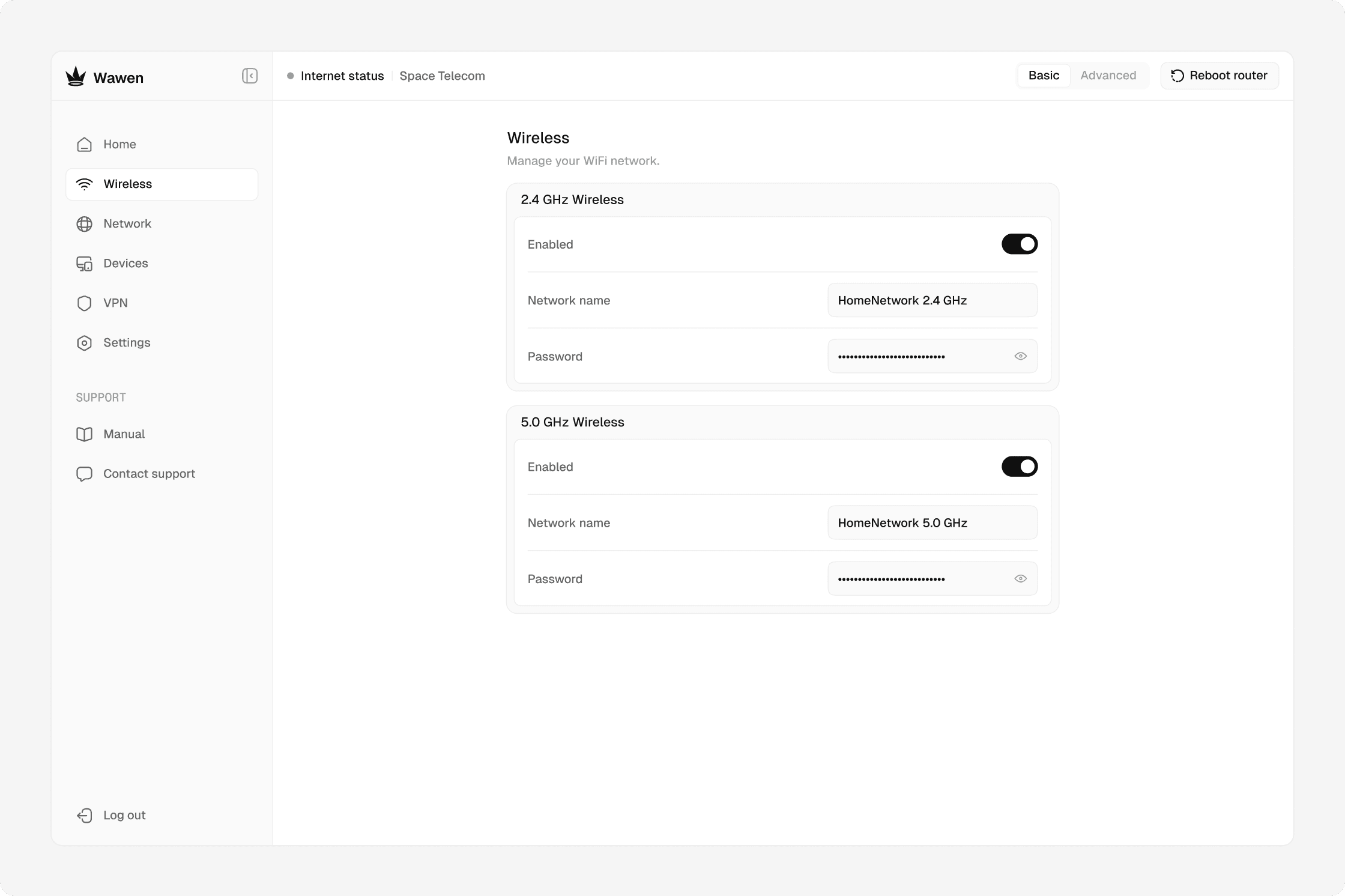
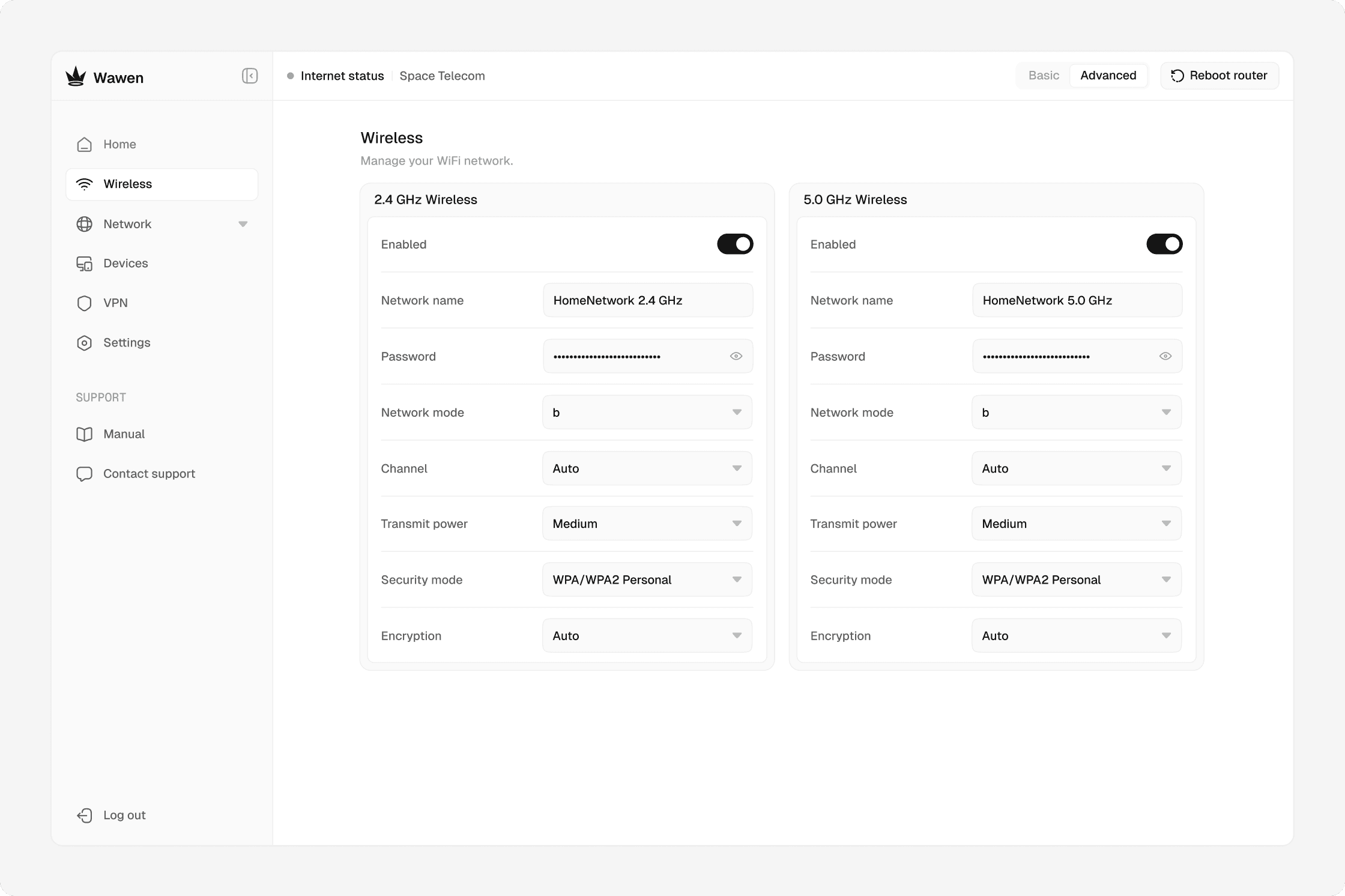
The Wireless tab is split to keep simple tasks simple. In Basic mode, users can quickly change the Wi-Fi name and password or turn Wi-Fi on and off. Advanced mode adds control over network mode, channel, transmit power, and encryption for more precise tuning.
The Wireless tab is split to keep simple tasks simple. In Basic mode, users can quickly change the Wi-Fi name and password or turn Wi-Fi on and off. Advanced mode adds control over network mode, channel, transmit power, and encryption for more precise tuning.
Network
Network
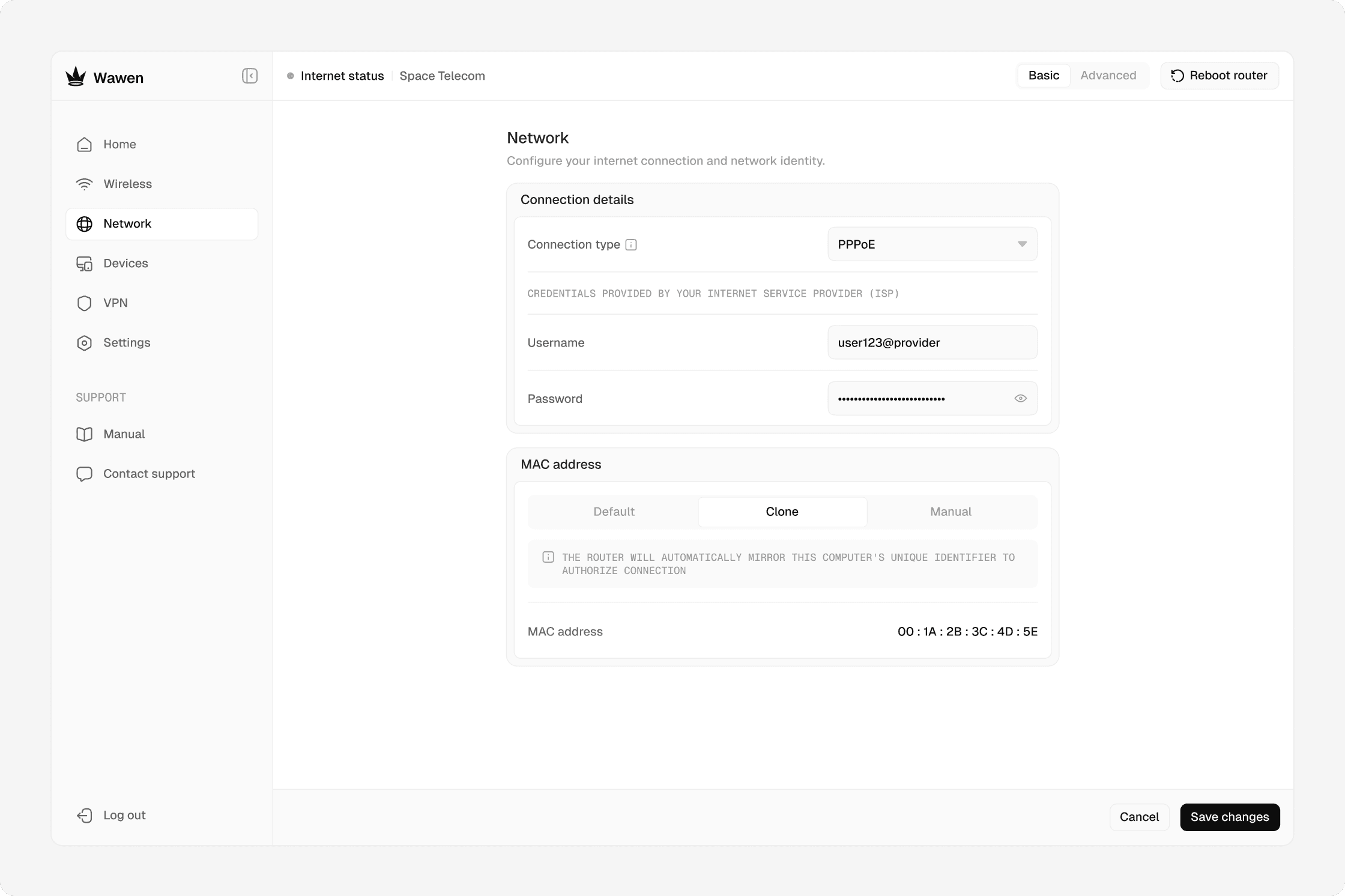
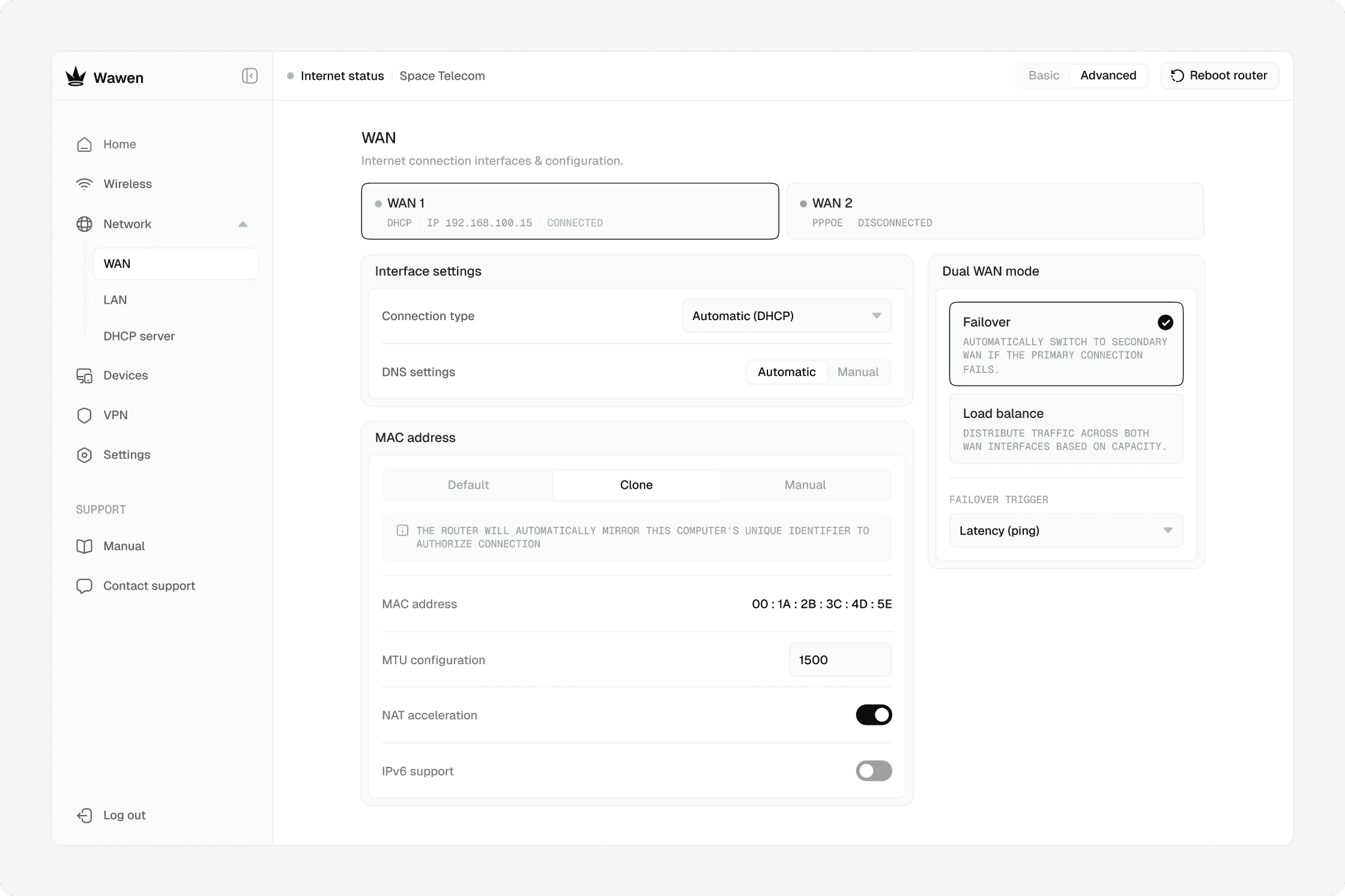
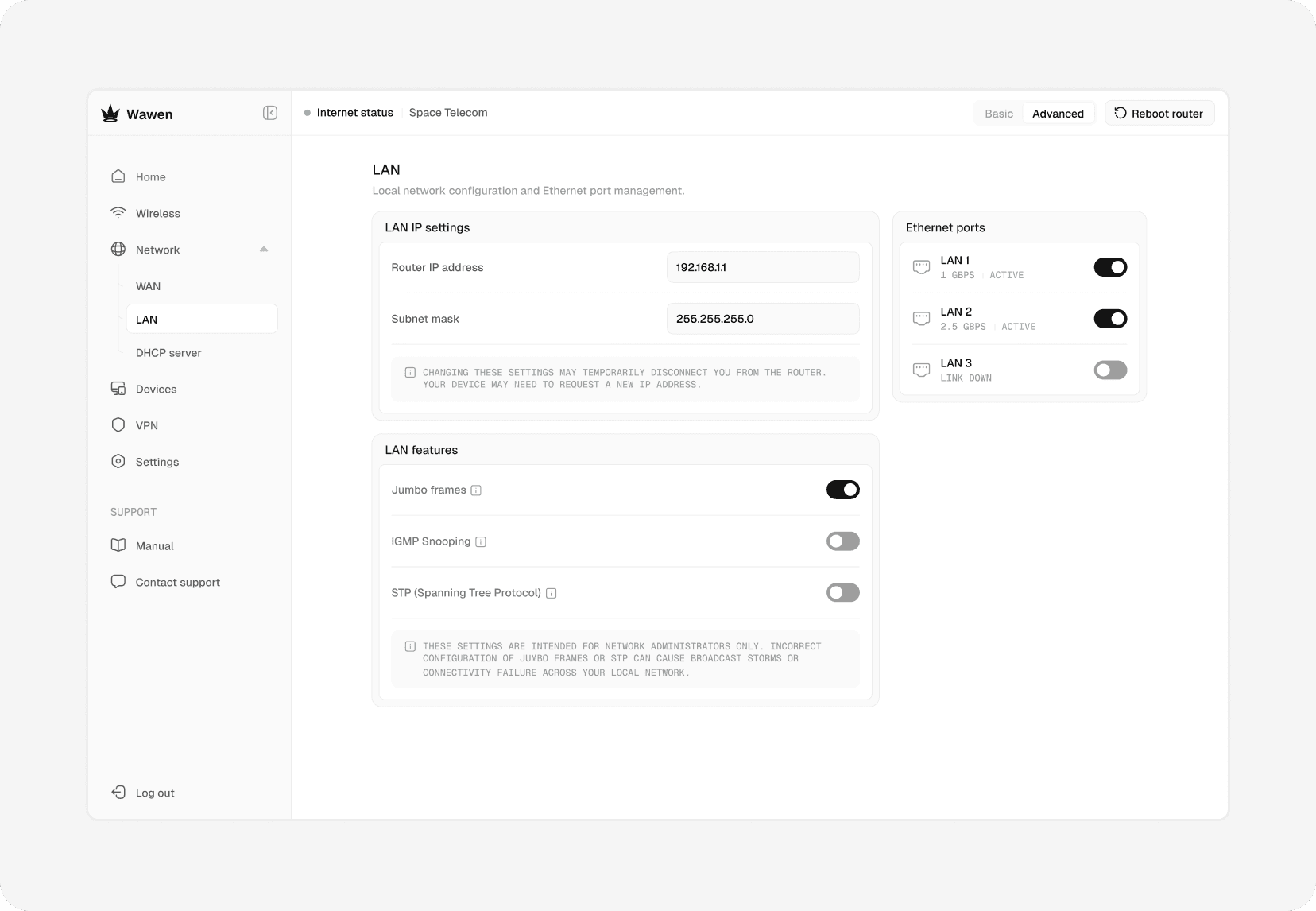
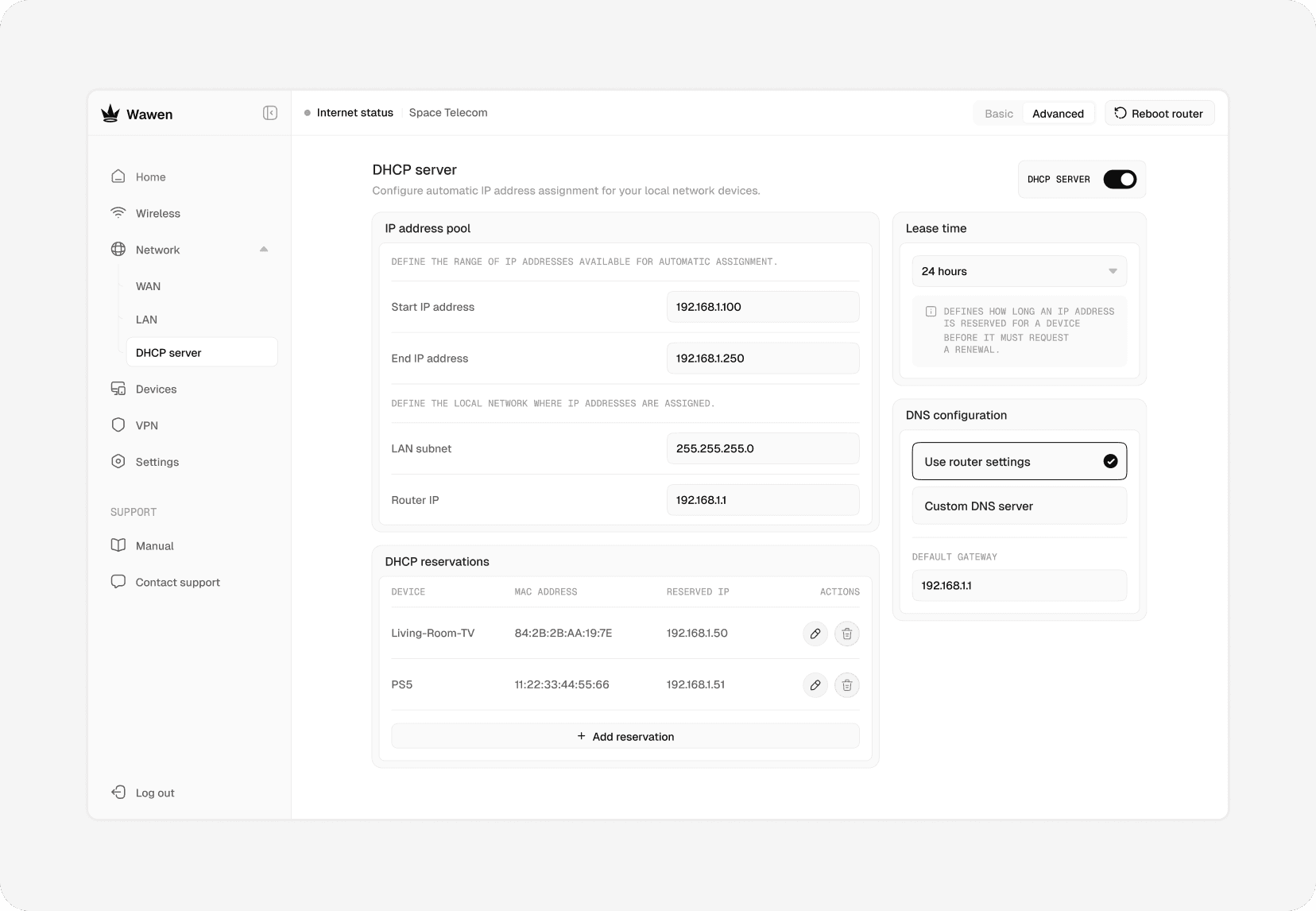
The Network section follows the same logic as the rest of the admin. In Basic mode, it covers only what’s needed to get online, such as connection type and MAC address settings. Advanced mode unlocks full network configuration, including WAN, LAN, and DHCP server settings for more complex setups.
The Network section follows the same logic as the rest of the admin. In Basic mode, it covers only what’s needed to get online, such as connection type and MAC address settings. Advanced mode unlocks full network configuration, including WAN, LAN, and DHCP server settings for more complex setups.
Devices
Devices
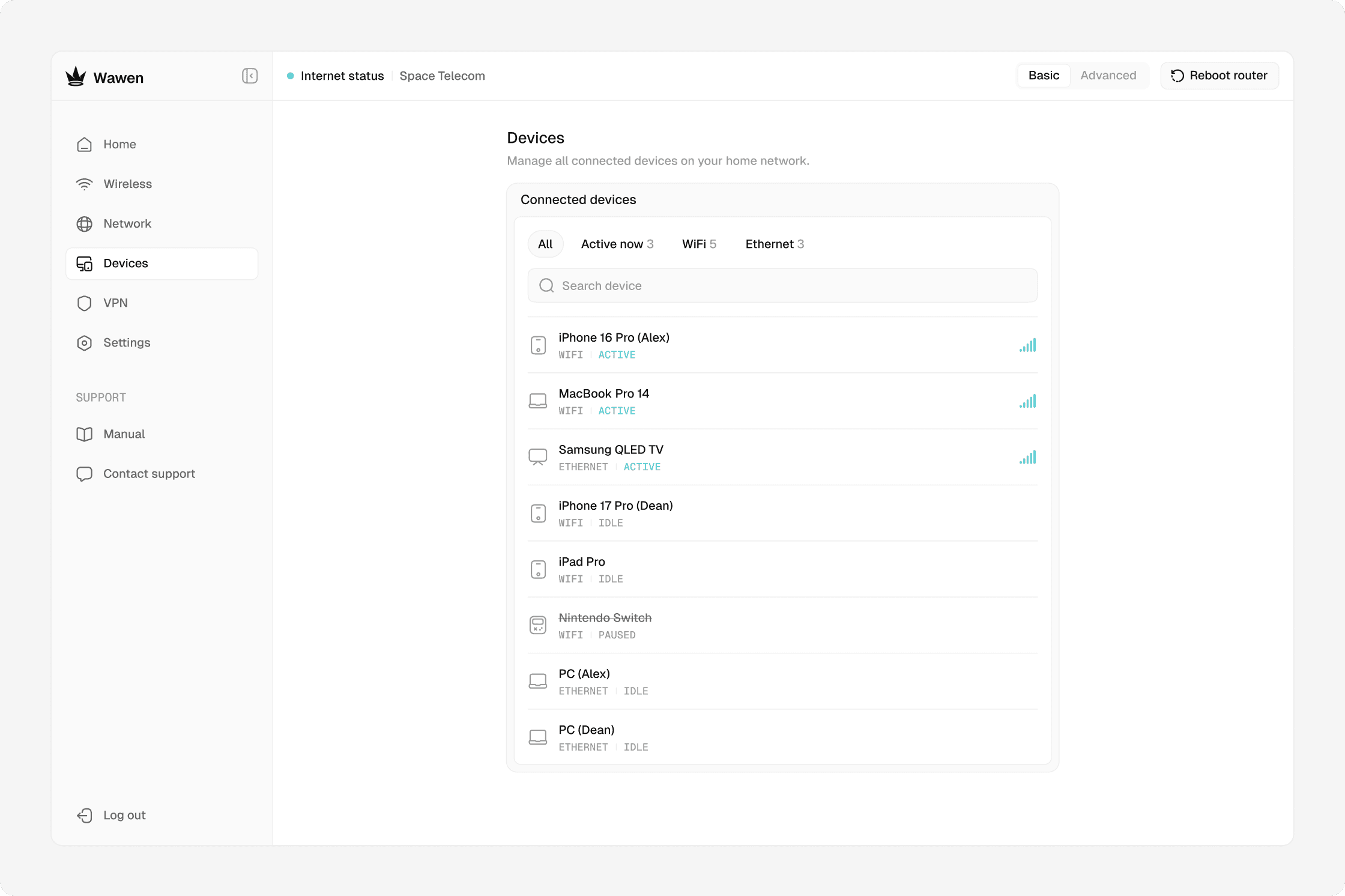
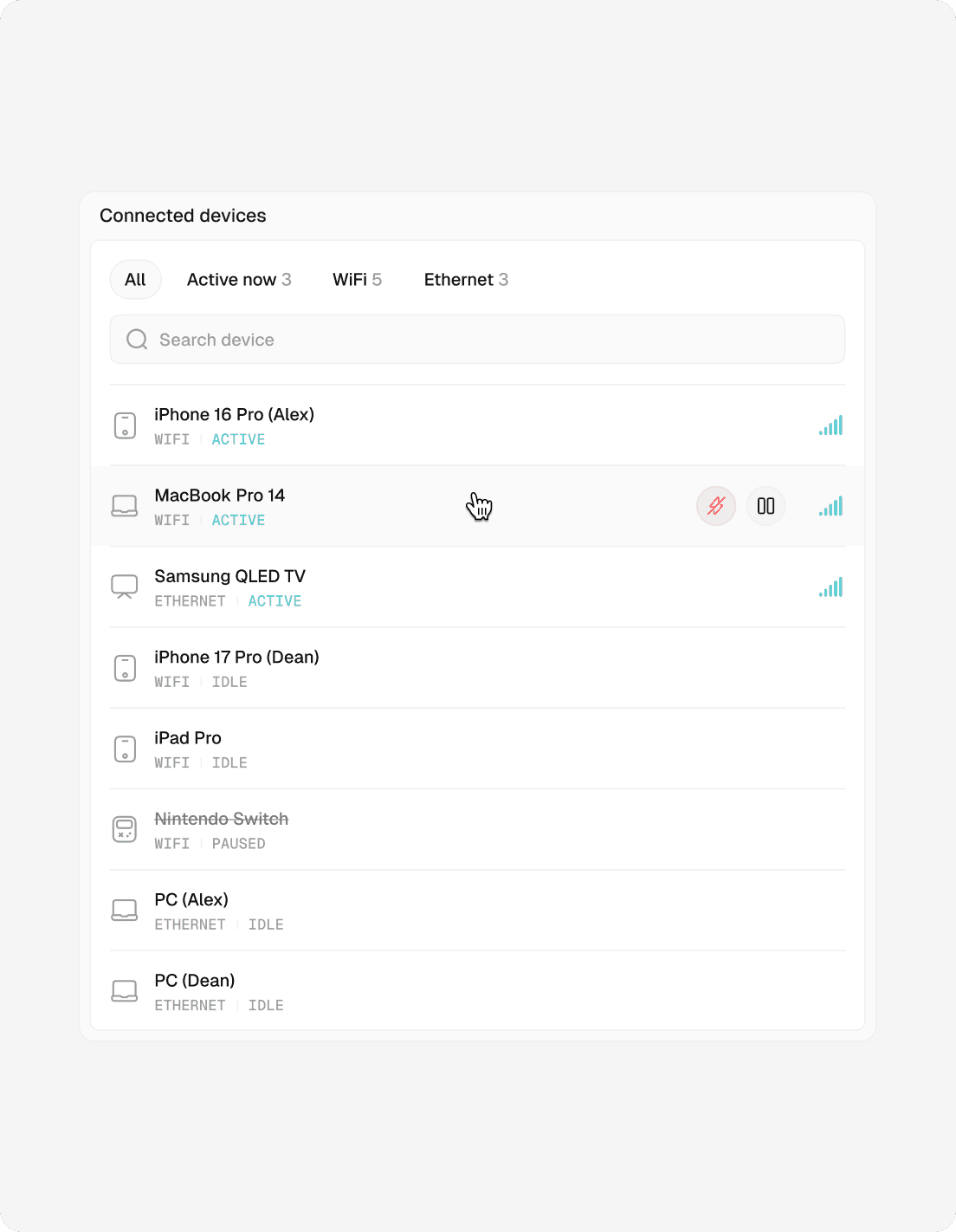
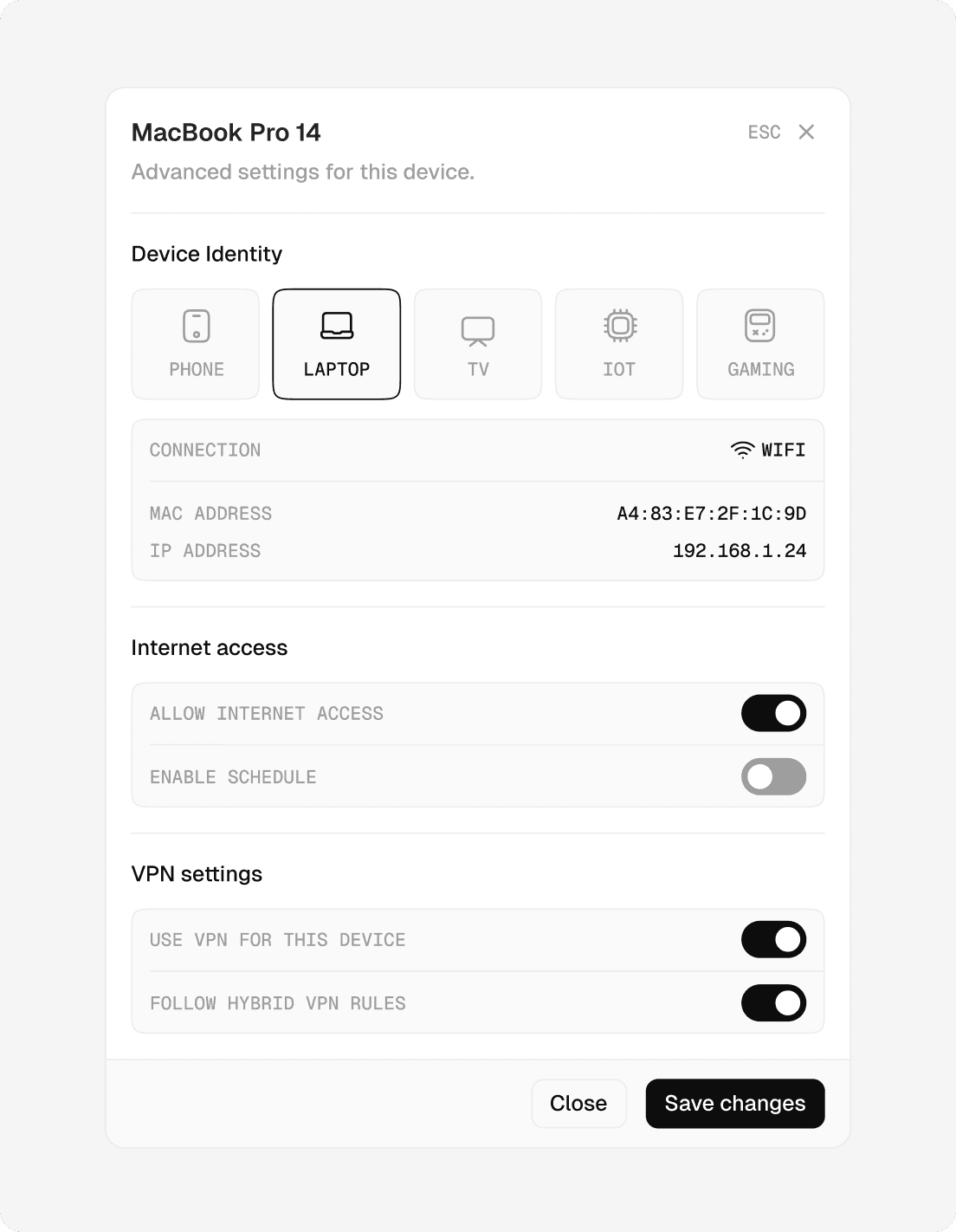
The Devices section shows everything that is currently connected to the router. From here, users can see device types, connection status, signal strength, and access detailed device settings to manage behavior, limits, and network access.
The Devices section shows everything that is currently connected to the router. From here, users can see device types, connection status, signal strength, and access detailed device settings to manage behavior, limits, and network access.
VPN
VPN
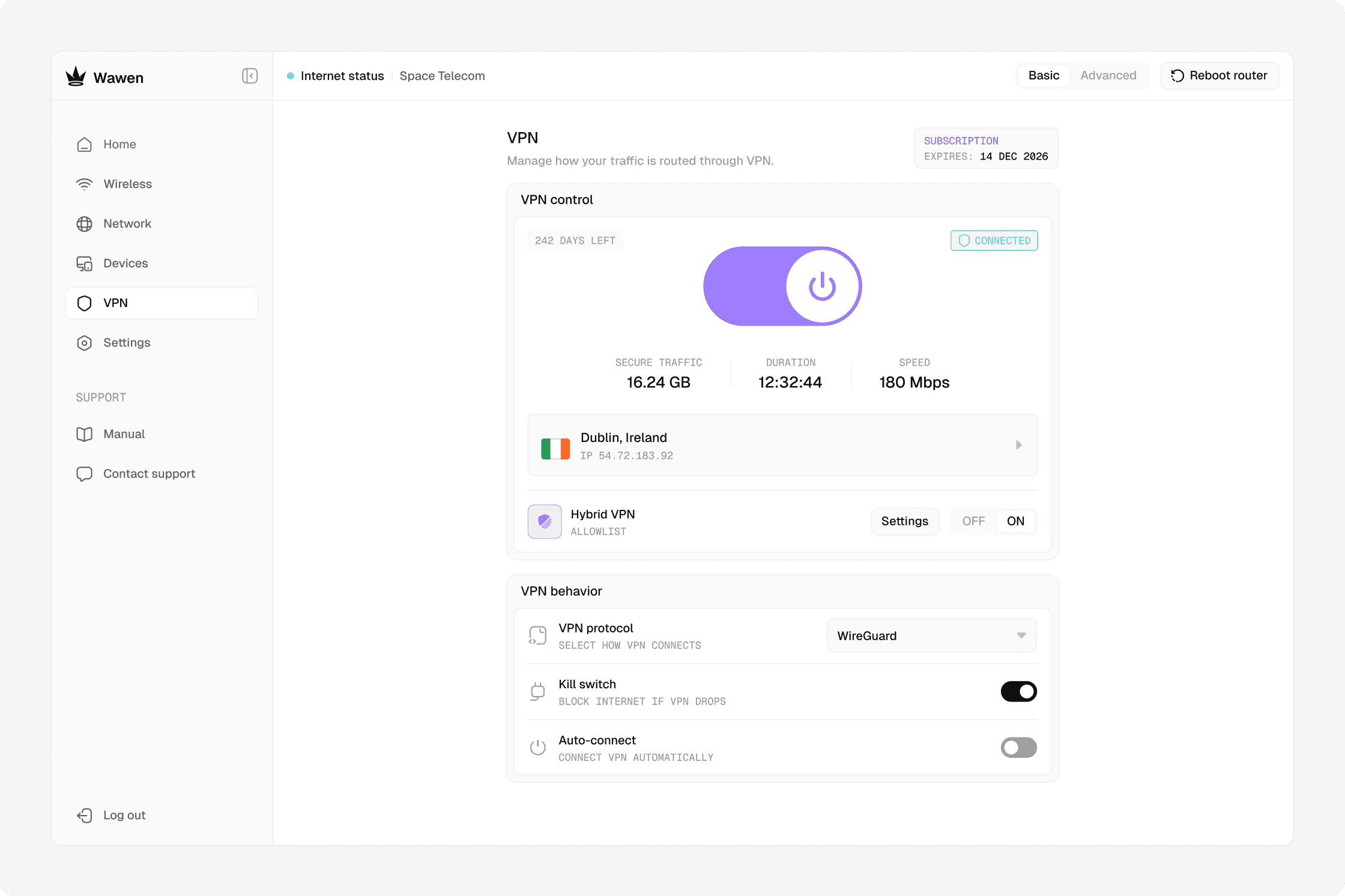
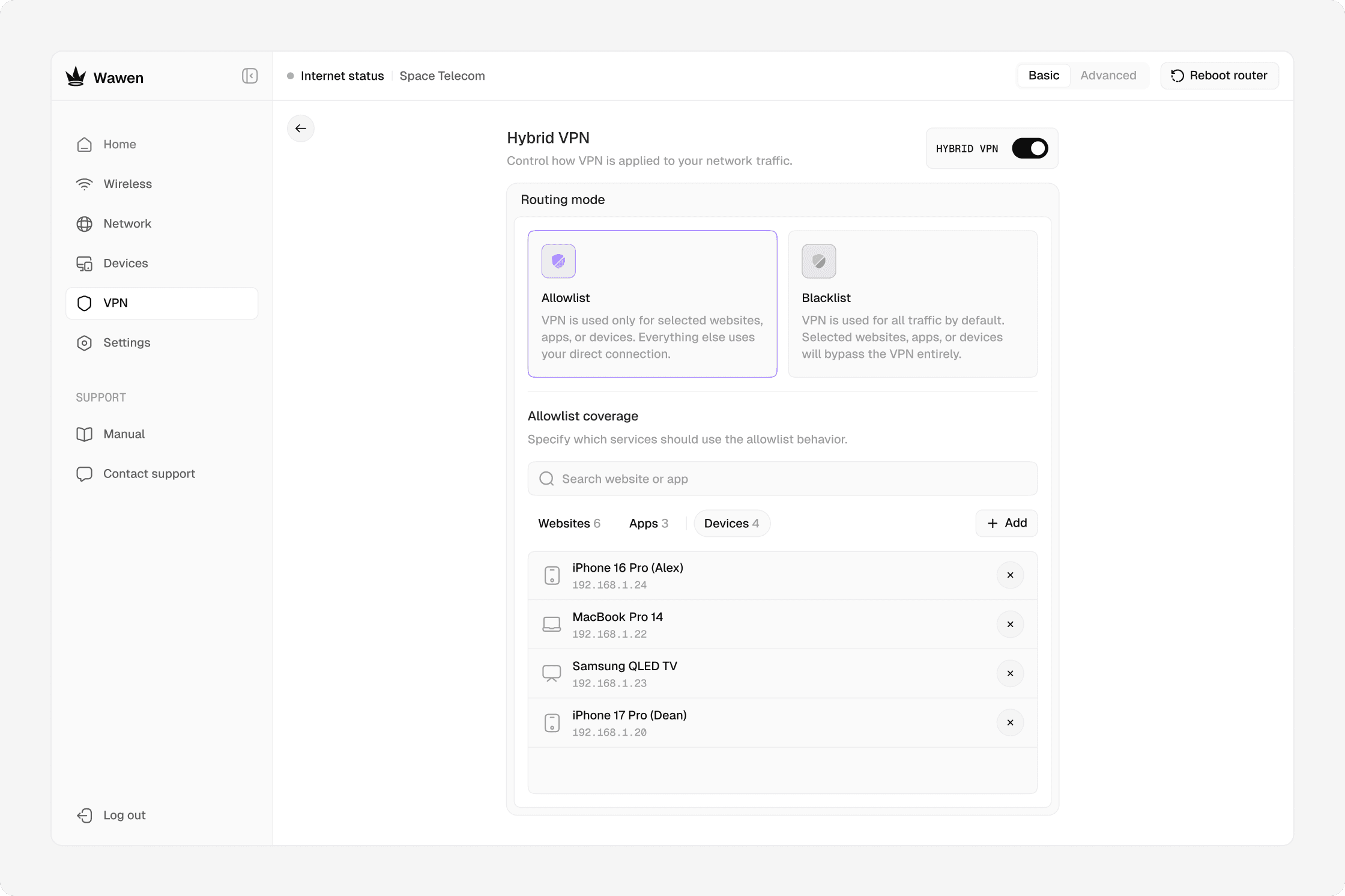
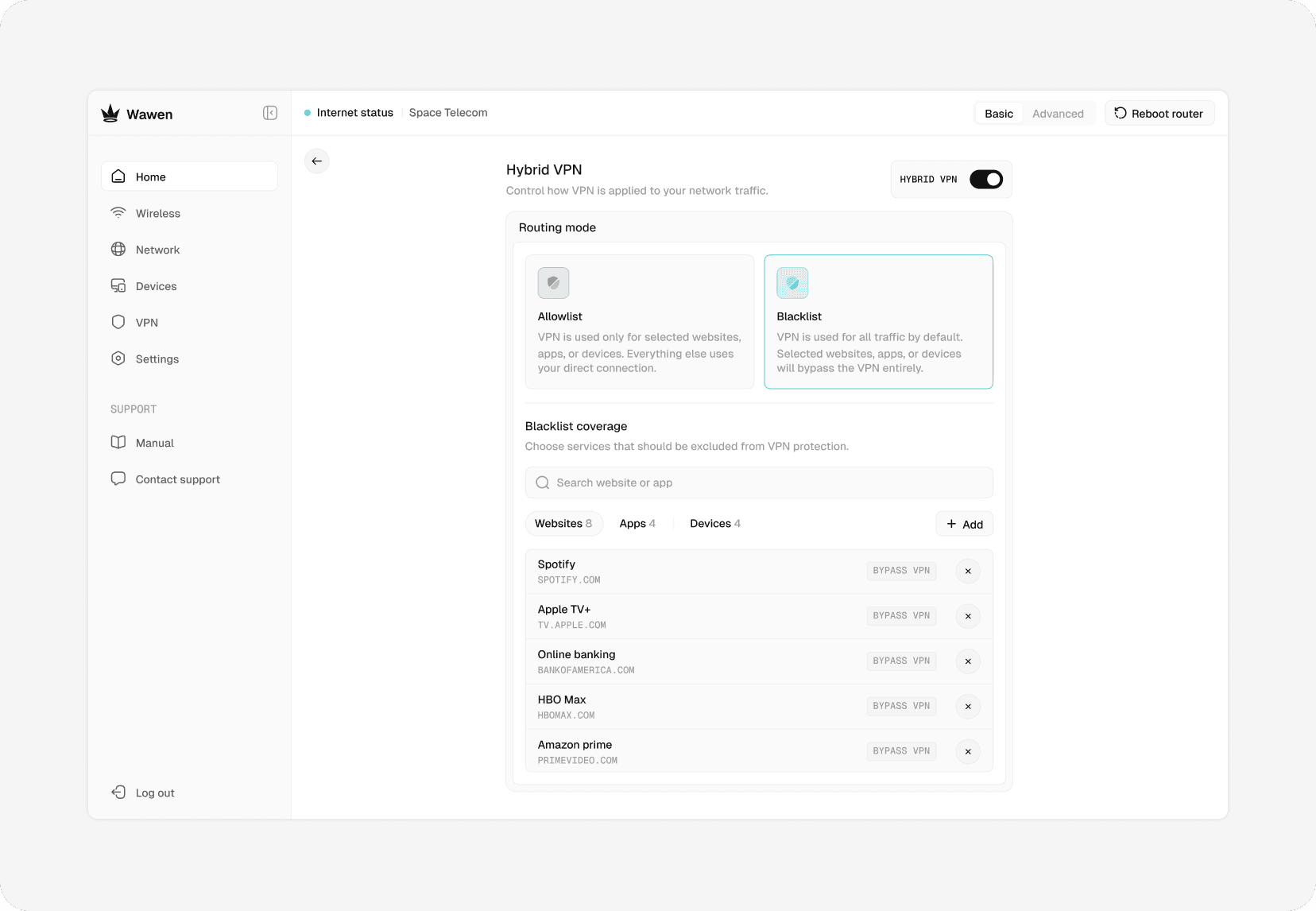
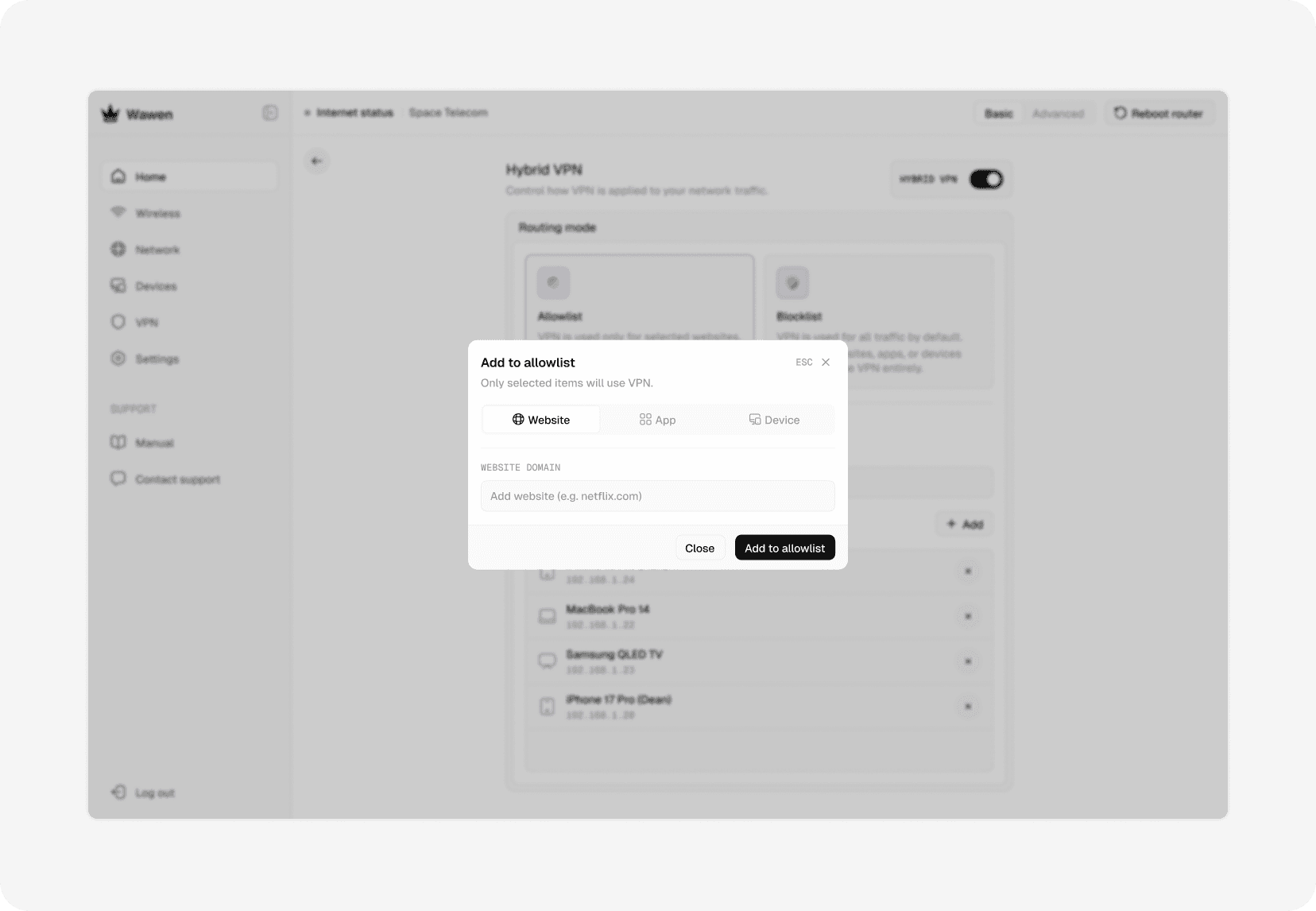
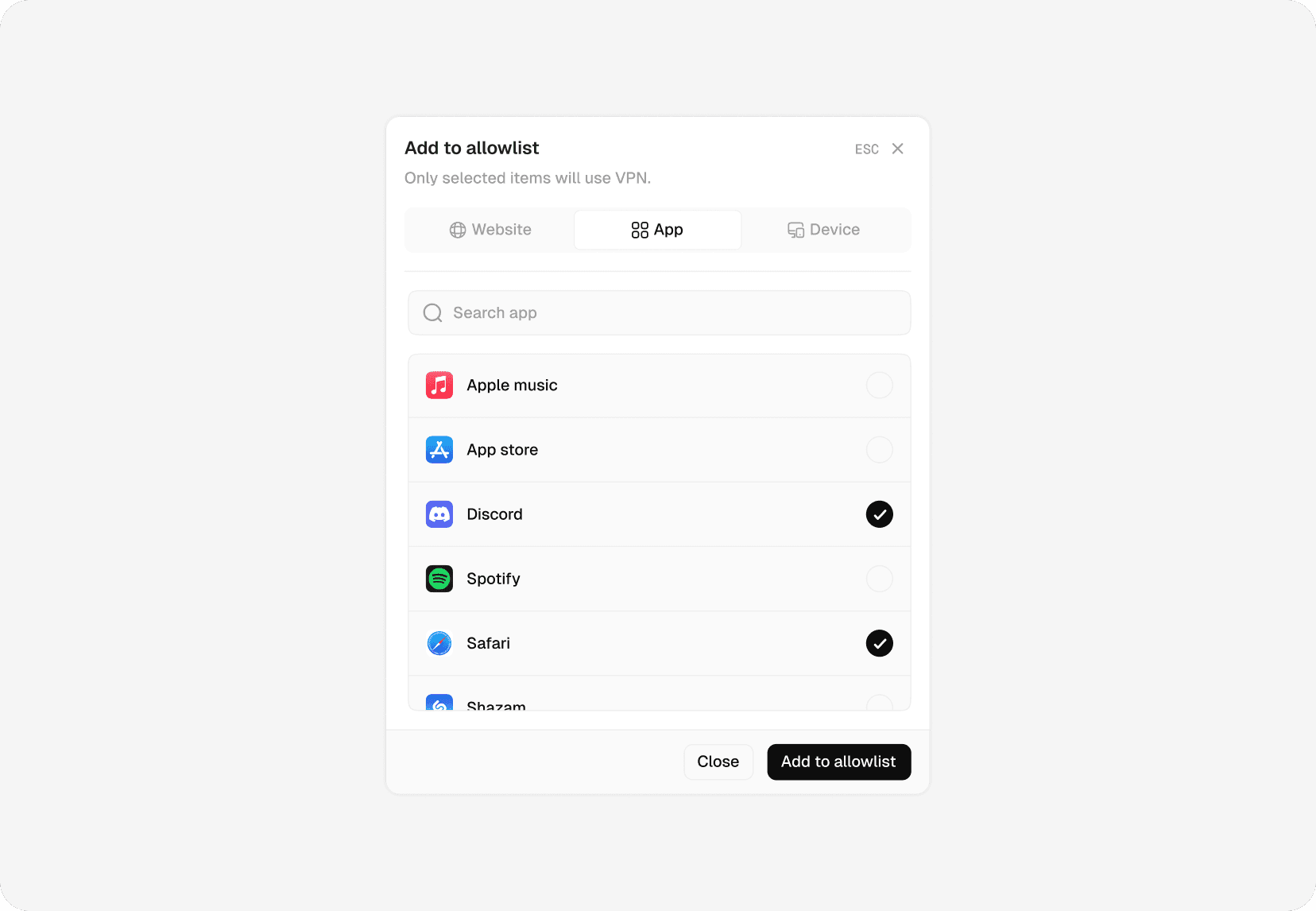
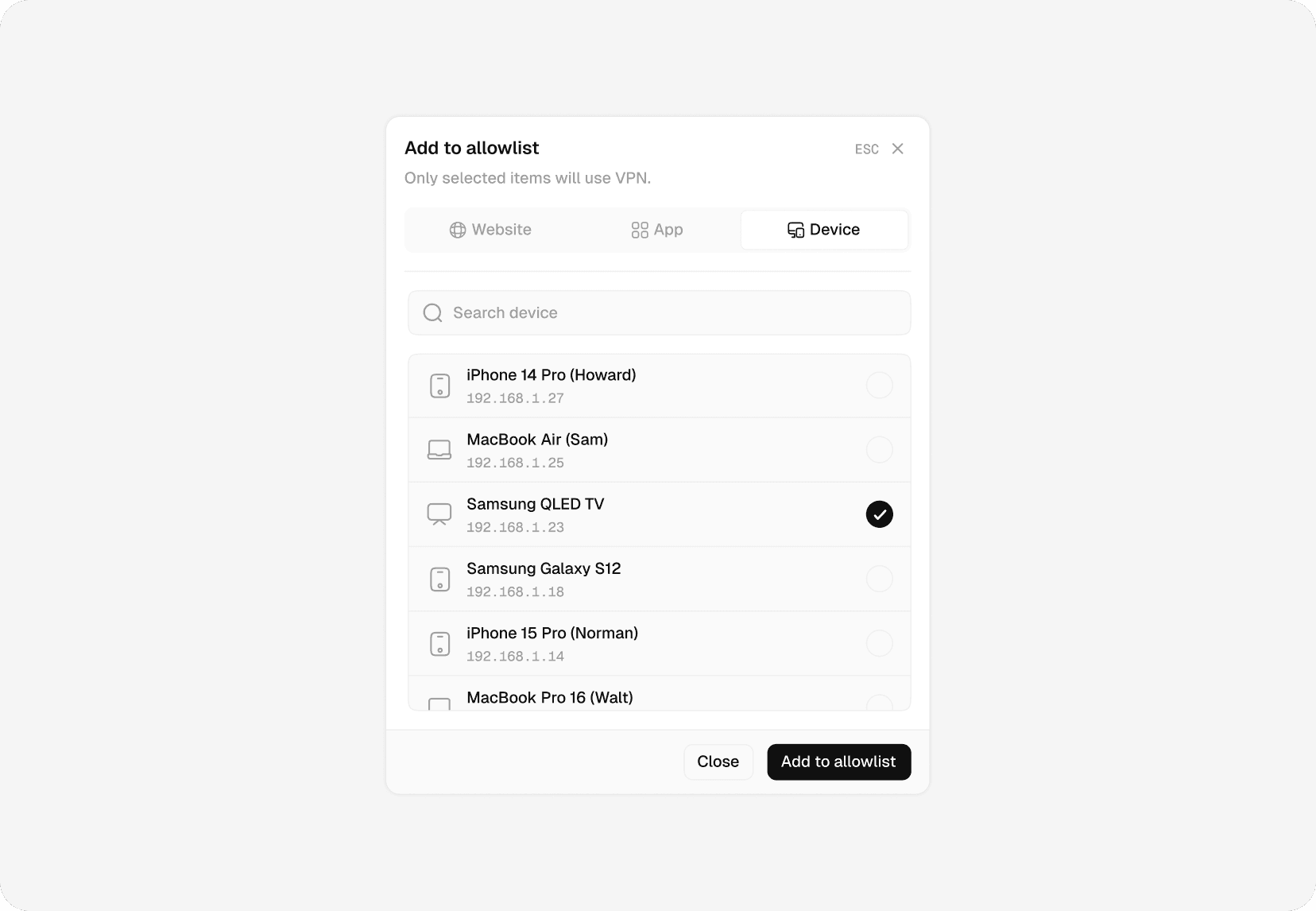
The key feature of the router is its built-in VPN and Hybrid VPN mode. The main challenge here was to clearly explain how Hybrid VPN works, what the difference is between Allowlist and Blacklist modes, and make managing these lists simple and intuitive. Since this functionality is new for most users, the interface intentionally includes clear explanations and guidance, so people don’t have to look elsewhere to understand how it works.
The key feature of the router is its built-in VPN and Hybrid VPN mode. The main challenge here was to clearly explain how Hybrid VPN works, what the difference is between Allowlist and Blacklist modes, and make managing these lists simple and intuitive. Since this functionality is new for most users, the interface intentionally includes clear explanations and guidance, so people don’t have to look elsewhere to understand how it works.
Settings
Settings
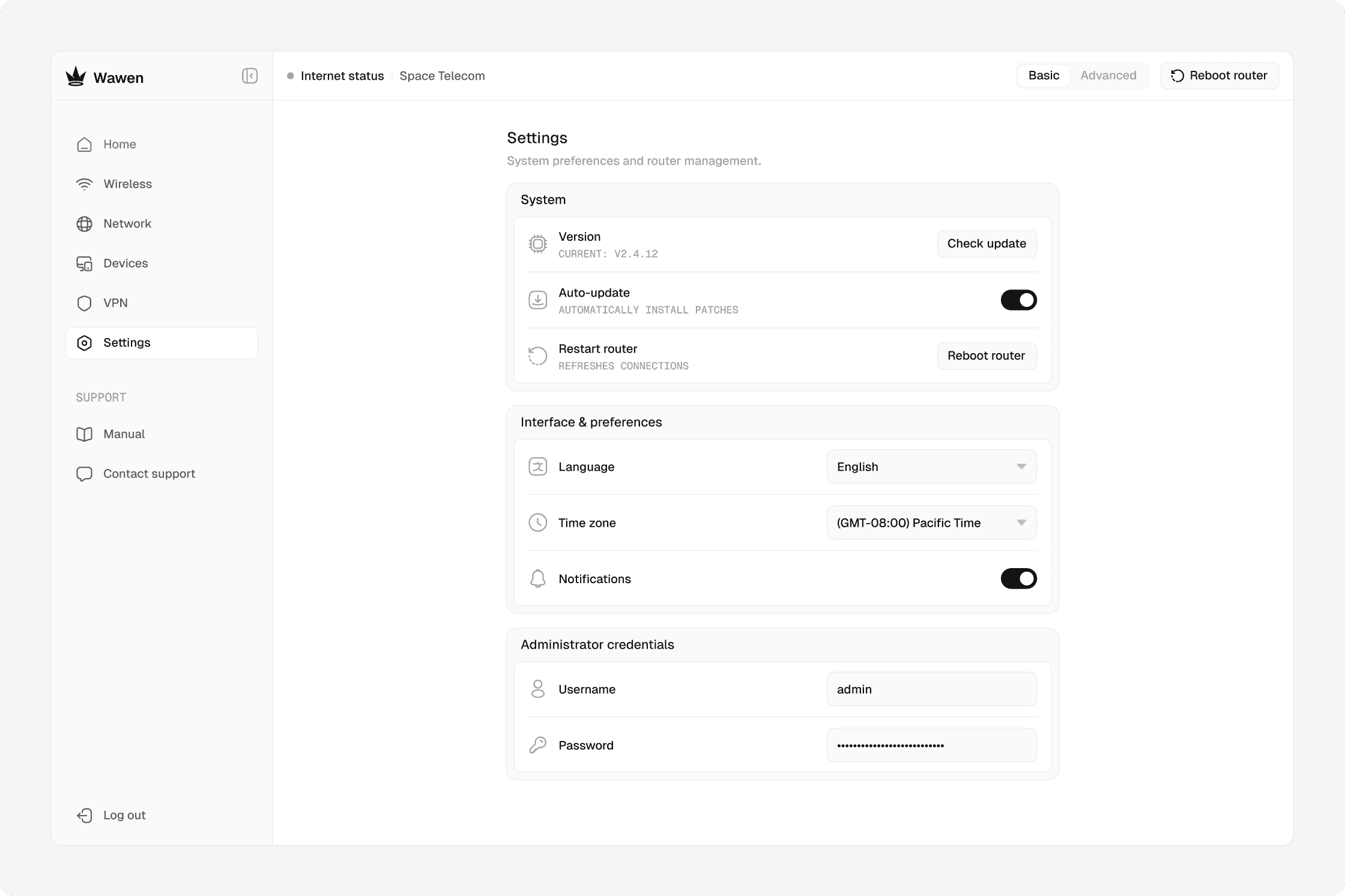
This section is used for system preferences, firmware updates, access control, and basic router maintenance.
This section is used for system preferences, firmware updates, access control, and basic router maintenance.
Conclusion
Conclusion
Working on this project meant diving deep into networking and router logic, a domain I hadn’t worked with before. I had to understand how real router admins are used, untangle years of inherited patterns, and rebuild the interface so both casual users and advanced scenarios could coexist without getting in each other’s way. It was a good exercise in transforming complex technical systems into a user-friendly interface.
Working on this project meant diving deep into networking and router logic, a domain I hadn’t worked with before. I had to understand how real router admins are used, untangle years of inherited patterns, and rebuild the interface so both casual users and advanced scenarios could coexist without getting in each other’s way. It was a good exercise in transforming complex technical systems into a user-friendly interface.